The hypnotic power of a perfect loop is not an artistic accident; it’s a deliberate cognitive hack that satisfies the brain’s deep-seated need for predictable patterns.
- Seamless loops work by creating a state of “structured predictability,” which minimizes cognitive load and allows for effortless viewing.
- Technical precision in matching frames, managing color, and choosing the right duration is crucial to avoid breaking the brain’s predictive model.
Recommendation: Instead of just hiding the seam, design your animations to logically and psychologically justify the repetition, turning a simple loop into a captivating experience.
For social media artists and animators, creating a truly seamless loop is a celebrated achievement. Yet, many struggle with the frustrating “pop” or “glitch” where the animation resets, a tiny imperfection that shatters the entire illusion. The common advice is to simply match the start and end frames, but this often fails to capture the deeper essence of what makes a loop hypnotic. This purely mechanical approach overlooks the psychological component that separates a passable loop from a mesmerizing one.
The secret lies not just in technical execution, but in understanding the viewer’s brain. The satisfaction we derive from a perfect loop is a neurological reward. It stems from a cognitive process known as pattern completion, where our brain successfully predicts and confirms a repeating sequence. When an animation fulfills this prediction flawlessly, it creates a sense of order and resolution that is deeply pleasing. But if the true key to hypnotic content is not just hiding the seam, but mastering the art of “structured predictability,” how can animators leverage this insight?
This article deconstructs the cognitive science behind satisfying loops. We will explore the technical mechanics of creating an infinite illusion, the strategies for visual optimization, and the psychological principles that dictate ideal duration and complexity. By understanding and applying these concepts, you can transform your animations from simple moving images into powerful, attention-holding assets.
For a practical look at one of the most popular forms of looping content, the cinemagraph, the following video provides a step-by-step tutorial on its creation. It’s a perfect visual complement to the principles we discuss regarding subtle motion and viewer retention.
To fully grasp how to engineer these captivating visual experiences, this guide is structured to build from foundational techniques to advanced psychological concepts. The following sections provide a comprehensive roadmap for any creator looking to master the hypnotic appeal of the perfect loop.
Table of Contents: The Cognitive Science of the Perfect Loop
- How to Hide the Start and End Frame to Create an Infinite Illusion?
- How to Reduce GIF Colors to 64 Without Making It Look Grainy
- Still Photo with Movement or Full Video: Which Holds Retention Longer?
- The Compression Pop: Why Your Loop Glitches at the Reset Point on Instagram?
- Is 3 Seconds or 6 Seconds the Ideal Duration for a Hypnotic Loop?
- How to Export SVGs That Load Instantly on Mobile Devices?
- Why Controlled Randomness is Better Than Pure Chaos in Generative Art?
- Motion Design: Why Does Movement Increase Engagement by 400% on Social Media?
How to Hide the Start and End Frame to Create an Infinite Illusion?
Creating an infinite illusion is less about hiding a seam and more about making the seam psychologically invisible. The human brain is an extraordinarily sensitive pattern-detection machine. This is not a metaphor; it’s a biological fact. The smallest jump, stutter, or velocity change at the loop point is immediately registered as a break in the pattern, shattering the hypnotic effect. This is because, as research shows, it takes under 100 milliseconds for the brain to detect motion pattern breaks, a threshold animators must respect.
The most common mistake is focusing only on the positional data of the keyframes. While the start and end positions must be identical, the true secret lies in matching the velocity and acceleration. An object might be in the same spot, but if it instantly jumps from maximum speed to zero, the brain perceives a collision, not a seamless transition. Using a graph editor to align the speed curves is non-negotiable for a professional result.
Beyond the technical, a successful loop often employs a narrative justification for its repetition. This “narrative bridge” makes the return to the start feel logical rather than forced. For example, a character throwing an object that circles back into their hand, or a camera panning 360 degrees to end where it began. This technique aligns the animation’s story with its mechanical structure, effectively tricking the brain into accepting the loop as a continuous, unbroken event. The goal is to make the repetition feel not just possible, but inevitable.
How to Reduce GIF Colors to 64 Without Making It Look Grainy
Reducing a GIF’s color palette to 64 or even 32 colors is essential for optimizing file size and load times, but it’s a process fraught with peril. Aggressive color reduction often leads to unsightly banding, noise, and a grainy appearance that cheapens the animation. The key is to approach color reduction not as a destructive final step, but as an integral part of the design process. Instead of creating a richly colored image and then “crushing” it, design with a limited palette from the outset.
A strategic approach involves a concept known as perceptual color weighting. The human eye does not give equal attention to all parts of an image; it is drawn to movement and contrast. Therefore, you should allocate the majority of your limited color palette (e.g., 60%) to the main moving subject of your animation. The remaining colors can be used for the static or less important background elements. This ensures the focal point remains crisp and vibrant, while the perceived quality of the entire image stays high.
Case Study: MailChimp’s Strategic Use of Limited Color Palettes
MailChimp has built a strong brand identity around its playful and whimsical 2D animations. By consistently using a limited, strategic color palette, they effectively convey complex marketing concepts in a way that is accessible and memorable. Their animations serve to both educate users and promote services, demonstrating that a constrained palette, when used intentionally, can enhance rather than detract from the message.
Another critical technique is the type of dithering applied. Dithering is the process of using patterns of pixels to simulate colors that are not in the palette. While “pattern dithering” can look artificial, “diffusion dithering” (like Floyd-Steinberg) creates a more natural, film-grain-like noise. This type of visual texture is something the brain is accustomed to and often filters out automatically, resulting in a much cleaner and more professional final product.
Action Plan: Professional Color Reduction Strategy
- Palette Design: Design with a limited palette from the start. Choose 8-10 core colors and their variations rather than crushing rich images later.
- Perceptual Weighting: Allocate 60% of the 64-color palette to the main moving subject and the remaining 40% to the static background.
- Dithering Method: Use diffusion dithering over pattern dithering. This mimics natural visual noise that the brain filters out automatically.
- Manual Cleanup: After automatic reduction, manually inspect frames for “orphan” pixels or banding and correct them with colors from the existing palette.
- Test on Target Screens: Preview the final GIF on various mobile and desktop screens to check for unexpected color shifts or artifacts.
Still Photo with Movement or Full Video: Which Holds Retention Longer?
The question of whether a cinemagraph (a still photo with a subtle, looping area of movement) holds attention longer than a full-motion video is a central debate for social media artists. The answer is not about which is “better,” but which is more effective for a specific cognitive purpose. A full-motion video demands active attention; the viewer must track multiple moving elements and process a continuous stream of new information. This can be highly engaging but also leads to higher cognitive load.
This image contrasts the two approaches: on one side, the singular, focused motion of a cinemagraph; on the other, the dynamic but complex action of a full video.
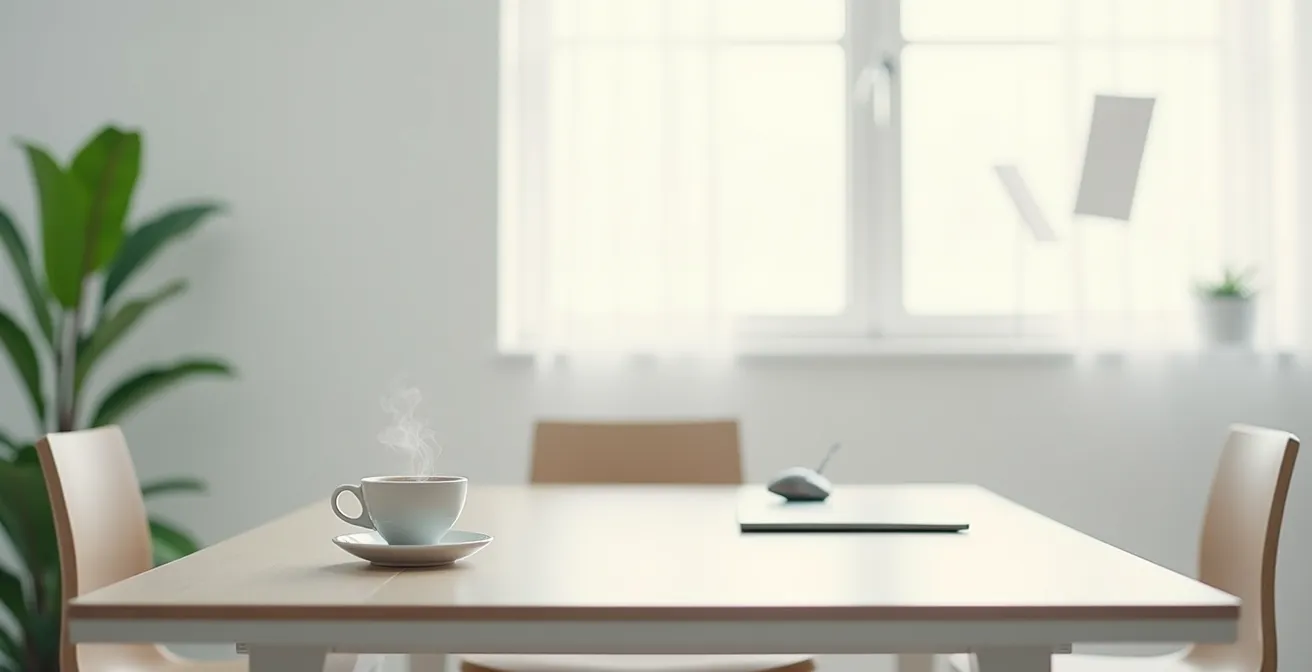
A cinemagraph, conversely, operates on the principle of minimalist engagement. The majority of the image is static, requiring very little mental processing. The isolated, looping movement creates a point of focused curiosity. The brain detects the motion, latches onto its predictable pattern, and can then enter a state of low-energy observation. This low cognitive load makes the experience less demanding and can paradoxically lead to longer, more passive viewing times. The viewer isn’t waiting for a story to conclude; they are mesmerized by the quiet persistence of the movement itself.
Case Study: Airbnb’s Cinemagraph Destination Marketing
Airbnb effectively utilized cinemagraphs to showcase the unique charm and essence of their travel destinations. Instead of busy videos, they used subtle, looped animations—like steam rising from a coffee cup on a Parisian balcony or leaves rustling by a quiet lake house. This approach captured the feeling of a place without overwhelming the viewer. By enticing travelers with these mesmerizing visual haikus, Airbnb enhanced its brand’s storytelling and increased bookings, proving the power of subtle motion to drive engagement.
Ultimately, the choice depends on the goal. For conveying complex information or telling a linear story, full video is superior. But for creating an atmospheric, hypnotic brand moment that can hold a viewer’s gaze for an unexpectedly long time, the focused, low-load nature of the cinemagraph is often the more powerful tool for retention.
The Compression Pop: Why Your Loop Glitches at the Reset Point on Instagram?
The “compression pop” is a common source of frustration for animators: a perfect loop in the editor that glitches with a noticeable pause or jump when uploaded to platforms like Instagram. This issue is rarely the fault of the animation itself but is a byproduct of how social media platforms process and re-compress video files. When you upload a video, it is not simply displayed; it’s transcoded to fit the platform’s specific delivery standards, and this process can interfere with the seamlessness of a loop.
Most video compression algorithms use I-frames (full frames), P-frames (predictive frames), and B-frames (bi-directional frames) to save space. A loop can glitch if the platform’s encoder doesn’t place an I-frame precisely at the start or if it struggles to predict the last frame from the first. Furthermore, to ensure smooth playback on different network speeds, platforms create a buffer. This buffering mechanism can inadvertently add a slight pause as the video player decides to replay the file, breaking the continuous flow.
As the Socialinsider Research Team notes in their “2025 Social Media Video Performance Statistics,” the seamless nature of the loop is directly tied to platform algorithms favoring longer watch times:
Edit your videos to loop seamlessly. Ever hit replay on a Reel because the ending flowed right back into the start? That loop keeps people watching longer. Structure your video so the last shot or message ties seamlessly to the beginning. The smoother the replay, the higher your total watch time. And more watch time means the algorithm is far more likely to push your video further.
– Socialinsider Research Team, 2025 Social Media Video Performance Statistics
The solution is to “beat the algorithm” by pre-compensating for its behavior. This involves adding buffer frames—a couple of duplicate frames at the beginning or end of your animation—or applying a subtle cross-fade over the loop point before exporting. These techniques give the platform’s encoder a “cushion” to work with, making it more likely to render the loop point without a visible glitch. Optimizing for each platform’s specific tendencies is key, as detailed in a recent analysis of platform-specific video settings.
| Platform | Optimal Loop Duration | Compression Solution | Buffer Frames Needed |
|---|---|---|---|
| 3-6 seconds | Add 0.5s cross-fade pre-export | 2 duplicate frames | |
| TikTok | 5-8 seconds | Keep first/last frames simple | 1-2 frames |
| 4-6 seconds | Use I-frame alignment | 1 frame |
Is 3 Seconds or 6 Seconds the Ideal Duration for a Hypnotic Loop?
Determining the ideal duration for a hypnotic loop is a balance between pattern recognition and cognitive fatigue. A loop that is too short (1-2 seconds) can feel frantic and mechanical, while a loop that is too long (10+ seconds) requires too much memory and attention to be perceived as a single, repeating pattern. The “sweet spot” for a hypnotic effect appears to be rooted in human biology.
This is visualized by the metronomes below, where faster rhythms demand more active processing, while slower, more deliberate rhythms allow for passive, hypnotic observation.

Intriguingly, the most effective loops often synchronize with subconscious biological rhythms. For instance, as neuroscience research suggests that loops of 4-6 seconds align with the average human breathing cycle at rest. When a visual rhythm matches an internal one, it creates a powerful sense of resonance and calm, deepening the hypnotic state. This is why a gently undulating landscape or a slowly pulsing light feels more soothing than a rapid, jerky motion.
The optimal duration is also dependent on the complexity of the animation. The brain needs enough time to process the visual information and establish a predictive model.
- Simple motion (e.g., a bouncing ball, a blinking eye) can establish its pattern quickly, making a 2-3 second loop feel natural and hypnotic.
- Medium complexity (e.g., a character’s walk cycle) requires 3-5 seconds for the viewer to recognize the full range of motion before it repeats.
- Complex motion (e.g., generative art with multiple interacting elements) benefits from a longer duration of 5-8 seconds. This prevents cognitive overload and gives the brain ample time to appreciate the evolving patterns without feeling rushed.
Therefore, the ideal duration is not a single number but a dynamic variable. It must be long enough to allow the brain to recognize the pattern, but short enough that the repetition feels effortless and, ideally, synchronized with our own internal sense of time.
How to Export SVGs That Load Instantly on Mobile Devices?
While GIFs are the traditional format for loops, Scalable Vector Graphics (SVGs) offer a powerful alternative for web-based animations, particularly on mobile devices. Because they are code-based rather than pixel-based, SVGs are infinitely scalable and often have a much smaller file size. However, a poorly optimized SVG can be just as detrimental to performance, blocking page rendering and causing high CPU usage. Instant loading is achievable, but it requires deliberate optimization.
The first and most impactful optimization is vector simplification. SVGs are composed of anchor points that define paths and shapes. A complex curve drawn in a design program might export with dozens of points, each one adding to the file size and rendering complexity. Manually reducing these anchor points using vector simplification tools—turning a 50-point curve into a 5-point one that looks identical—can drastically reduce file size and processing time.
Another critical factor is the animation method. While SMIL (Synchronized Multimedia Integration Language) is a way to animate SVGs directly in the file, it is often less performant than using CSS. Animating SVG properties like `transform` and `opacity` with CSS animations or transitions offloads the rendering work to the device’s GPU (Graphics Processing Unit). This hardware acceleration results in significantly smoother, 60fps animations with minimal impact on mobile CPU performance.
The method used to embed the SVG in a webpage also has major performance implications, as highlighted in a performance comparison of SVG loading methods. For complex, non-critical animations, using the `<object>` tag or implementing lazy loading is often the best approach to prevent them from blocking the initial page render.
| Loading Method | Initial Load Time | Rendering Performance | Mobile CPU Usage |
|---|---|---|---|
| Inline SVG | Slower (blocks render) | Fastest | Low |
| <object> tag | Faster perceived load | Good | Medium |
| <img> tag | Fastest | Limited animation | Lowest |
| CSS animation | Fast | GPU accelerated | Very Low |
Why Controlled Randomness is Better Than Pure Chaos in Generative Art?
In the realm of generative art, the concept of a “perfect loop” evolves. It’s no longer about a single, identical repetition but about an endlessly evolving system that feels both novel and coherent. Here, the psychological principle of “structured predictability” becomes paramount. Pure, unconstrained randomness—true digital chaos—is often visually jarring and unsatisfying. The brain, hardwired to find patterns, is frustrated by the complete lack of them.
As Dr. Margaret Livingstone, a leading researcher in the biology of vision, explains, our brains are built to impose order on the world. Pure chaos directly fights this instinct.
The human brain is hardwired to find patterns, even where none exist (apophenia). Pure chaos is frustrating because it defies this instinct. Controlled randomness provides ‘plausible’ patterns that the brain can latch onto.
– Dr. Margaret Livingstone, Vision and Art: The Biology of Seeing
This is where controlled randomness comes in. Algorithms like Perlin noise are foundational to modern generative art for this exact reason. Perlin noise doesn’t generate completely random values; it generates values that have a relationship to their neighbors, creating smooth, organic-looking gradients and textures. This provides a “predictability gradient”—the overall behavior of the system is understandable (e.g., a flowing, smoke-like texture), but the micro-details within it remain spontaneous and unpredictable. A study of generative art engagement found that artists using Perlin noise algorithms reported significantly higher viewer engagement than those using pure random functions.
This balance of order and novelty is the key. It creates the perfect cognitive state: the brain is comforted by the underlying structure but simultaneously delighted by the endless, non-repeating variations. It’s the digital equivalent of watching clouds drift or flames flicker. The system is governed by understandable rules, but its specific manifestation at any given moment is unique. This structured spontaneity provides a far more compelling and hypnotic experience than the alienating unpredictability of pure chaos.
Key Takeaways
- The satisfaction of a perfect loop is a neurological reward for successful pattern prediction, not just an aesthetic preference.
- Optimal loop duration (4-6 seconds) often aligns with subconscious biological rhythms, such as breathing, enhancing the hypnotic effect.
- Effective loops balance predictability with novelty, minimizing cognitive load while keeping the brain engaged.
Motion Design: Why Does Movement Increase Engagement by 400% on Social Media?
The staggering effectiveness of motion in capturing attention on social media is a direct consequence of our brain’s evolutionary wiring. For millennia, survival depended on the ability to instantly detect movement in our peripheral vision—it could signal a threat or an opportunity. This primal “attentional bias” towards motion persists today. In a crowded, static feed, a moving element acts as an inescapable visual trigger, automatically drawing the eye and commanding cognitive resources.
This effect is amplified by the sheer volume of content and our dwindling attention spans. With the average user spending only a few seconds on any given post, static content is easily overlooked. Motion is a hack that breaks through this “scroll hypnosis,” forcing a momentary pause and a deeper level of engagement. The data is unequivocal, with studies revealing that videos on social media generate 1200% more shares than text and images combined. This isn’t just because video can contain more information, but because its very nature is more aligned with how our brains are wired to consume it.
A well-executed loop takes this principle a step further. While any motion can grab initial attention, a seamlessly looping motion holds it. As discussed, the predictable, low-load nature of a perfect loop makes it easy and pleasurable to continue watching. This drastically increases “watch time,” a primary metric that social media algorithms use to determine a post’s quality and virality. A longer watch time signals to the algorithm that the content is valuable, prompting it to show the post to a wider audience.
Therefore, the 400% (or greater) increase in engagement isn’t magic. It’s a two-stage process rooted in cognitive science: first, motion exploits the brain’s primal orientation response to capture attention, and second, the seamless loop leverages the brain’s love of pattern completion to hold that attention, maximizing key performance metrics.
By integrating these psychological principles with technical execution, animators can elevate their work from simple moving pictures to truly hypnotic experiences that command attention and drive engagement. Begin today by analyzing your own animations not just for technical perfection, but for their ability to create a state of structured, predictable satisfaction in the viewer.