
Low-poly design isn’t a technical compromise; it’s a discipline of intentional abstraction that forces a focus on the essence of an object.
- The style demands mastery of core artistic principles like silhouette, form, and lighting, often making it more challenging than photorealism.
- It shares its DNA with pixel art, celebrating its fundamental building blocks and turning hardware history into a deliberate aesthetic.
Recommendation: Treat polygon reduction not as a loss of detail, but as an opportunity to distill an idea to its most powerful and recognizable form.
When you see a character with sharp, geometric edges in a video game, the immediate assumption is often “performance.” We think of blocky graphics as a necessary sacrifice made for older hardware or to ensure a game runs smoothly on a mobile phone. This perspective frames low-poly as a technical limitation, a compromise on the path to the photorealistic worlds seen in blockbuster titles. For years, the goal of 3D graphics seemed to be a race toward hiding the polygon, toward achieving a seamless reality where the digital building blocks were invisible.
But what if this simplicity isn’t a compromise? What if it’s a deliberate, powerful aesthetic choice? The low-poly look has transcended its origins as a technical necessity to become a distinct artistic style. It’s an art of subtraction, where every removed polygon is a conscious decision. This minimalist approach doesn’t abandon detail; it distills it. By reducing an object to its essential geometric shapes, artists are forced to focus on the most critical elements: a strong silhouette, the interplay of light and shadow across flat planes, and a cohesive color palette. The polygon is no longer something to hide, but something to celebrate.
For those who prefer a visual summary, the following video offers a time-lapse creation of a low-poly portrait, showcasing the process of building form and character through geometric planes.
This article deconstructs the low-poly aesthetic. We will explore why technical limits often become creative catalysts, how artists create the illusion of detail on simple forms, and why a jagged line can be more emotionally resonant than a perfectly smooth curve. The following sections break down the core principles and challenges of this minimalist style.
Summary: Unpacking the Art of Polygon Aesthetics
- Why Mobile Games Limit You to 5,000 Polygons per Character?
- How to Make Low-Poly Look Smooth Without Adding More Geometry
- High to Low Baking: How to Transfer Millions of Details onto a Simple Shape?
- The Hole in the Mesh: Why Your 3D Printer Rejects Your Polygon Model?
- How to Shape a Character so it’s Recognizable Even with Blocky Polygons?
- Why You Must Avoid ‘Doubles’ to Keep Your Pixel Art Looking Clean?
- Why Jagged Lines Trigger Anxiety While Curves Create Calm in Composition?
- Virtual Sculpting: How to Mold Digital Clay Without Getting Your Hands Dirty?
Why Mobile Games Limit You to 5,000 Polygons per Character?
The 5,000-polygon limit for a mobile game character is a direct answer to hardware constraints. Mobile devices balance processing power, memory, and battery life, making the rendering of extremely complex models impractical. While modern console games feature characters where 100,000 polygons average per character is common, mobile development operates in a different reality. Here, efficiency is paramount.
However, this technical ceiling is not a creative dead end. It is a filter. Instead of being a purely technical problem to solve, it has become a catalyst for a specific aesthetic. This constraint forces designers to move beyond brute-force detail and embrace the art of distillation. The central question becomes: “What is the absolute essence of this character, and how can it be conveyed with a limited set of planes and vertices?” This focus sharpens the artist’s attention on core principles that are sometimes lost in the noise of high-poly modeling.
The process is less about technical reduction and more about sculptural intent. Every polygon must justify its existence. The result is a style that prioritizes clear forms and strong silhouettes over granular detail, proving that thoughtful design can triumph over raw computational power.

As this image suggests, the goal is not to simply have fewer polygons, but to make every single polygon count. This approach, born from necessity, is now a celebrated choice, highlighting that good design is about making effective decisions within a given framework. The limit is the canvas, not the cage.
How to Make Low-Poly Look Smooth Without Adding More Geometry
A key paradox of low-poly art is the desire to create forms that feel cohesive and intentional, not just blocky and unfinished. Artists have developed techniques to control how light interacts with surfaces, creating an illusion of smoothness or detail without increasing the polygon count. This is achieved primarily through the manipulation of surface normals.
In 3D graphics, a “normal” is a vector that dictates which direction a polygon face is pointing, which in turn determines how it reflects light. By default, each face in a low-poly model has a “flat” normal, causing light to break sharply at each edge and creating the distinct faceted look. To create smoothness, artists use a technique called “smoothing groups” or edit vertex normals to average the direction between adjacent faces. This tricks the lighting engine into rendering a gradual transition of light across the edges, making the underlying sharp geometry appear curved and smooth.
Beyond smoothing, artists use texture maps to add perceived detail. As noted in computer graphics research, techniques like normal and bump mapping are designed to compensate for a low polygon count. A normal map, baked from a high-poly model, can store complex surface information (like wrinkles, pores, or scratches) and apply it to a simple low-poly mesh, making it appear incredibly detailed without adding a single polygon.
Timothy J. Reynolds’ Approach to Low-Poly Lighting
Prominent low-poly artist Timothy J. Reynolds emphasizes that “dealing with modeling, lighting, textures helps to make good work stand out.” For him, lighting is not an afterthought but a primary tool. He uses it to control the mood and define the form, often employing natural color palettes where the light itself becomes a central compositional element. This demonstrates that perceived smoothness and quality in low-poly art are as much about artistic lighting as they are about technical tricks with normals.
High to Low Baking: How to Transfer Millions of Details onto a Simple Shape?
The process of “baking” is a cornerstone of modern 3D asset creation, especially for games. It’s the magic that allows a character model with millions of polygons, sculpted with photorealistic detail, to be represented on screen by a model with only a few thousand polygons without losing its visual fidelity. This workflow combines the artistic freedom of high-poly sculpting with the performance requirements of real-time rendering.
The process starts with two models: a high-poly sculpt with every intricate detail, and a low-poly “retopologized” mesh that matches the high-poly model’s silhouette but has a clean, optimized structure. The baking process then projects the details from the surface of the high-poly model onto a 2D texture map, which is then applied to the low-poly model. The most common of these is the normal map, which captures all the bumps, dents, and surface variations. Other maps can capture ambient occlusion (soft shadows), curvature, and material properties.
This technique is essential for creating performant assets. For instance, in racing games, it’s common for 25,000 polygons for vehicles including the driver to be a target budget. Baking allows the illusion of a million-polygon car body to be rendered efficiently. The high-poly model provides the visual data, and the low-poly model provides the performance.
Your Action Plan: Essential Steps for High-to-Low Polygon Baking
- Create the high-poly model: Sculpt all intricate details, ornaments, and surface textures without worrying about polygon count. This is the “master” version.
- Apply retopology: Build a new, clean low-poly mesh over the high-poly sculpt. Focus on an efficient polygon flow that defines the silhouette and key deformation areas.
- UV Unwrapping: “Unwrap” the low-poly model into a 2D layout (UV map) that the baked textures will be projected onto. A good unwrap is crucial for quality.
- Bake textures: Use software to project details from the high-poly to the low-poly’s UV map, generating normal maps, ambient occlusion, and other textures.
- Apply and test: Apply the baked textures to the low-poly model in a game engine to ensure the illusion is seamless and performant.
The Hole in the Mesh: Why Your 3D Printer Rejects Your Polygon Model?
A polygon model that looks perfect on screen can completely fail when sent to a 3D printer. This disconnect highlights a fundamental difference between models designed for rendering (visual representation) and models designed for manufacturing (physical object). A 3D printer needs a “watertight” or “manifold” mesh, which means the model must define a single, continuous, enclosed volume with no holes.
On screen, a hole in a mesh might not even be visible. A character’s arm can clip through their body, or two separate objects can be pushed together to look like one. The rendering engine doesn’t care; it just draws what it sees, triangle by triangle. A 3D printer, however, thinks like a slicer. It cuts the model into hundreds or thousands of horizontal layers and needs to know exactly what is “inside” and what is “outside” at every level. A hole, an inverted normal (a face pointing inward), or non-manifold geometry (where an edge is shared by more than two faces) creates ambiguity. The slicer can’t determine the boundary of the object, leading to printing errors, failed prints, or a complete rejection of the file.
This is why formats like STL (STereoLithography) are standard for 3D printing. They are designed to describe only the surface geometry of a 3D object without any representation of color or texture. The primary requirement is that the mesh be a clean, closed shell.
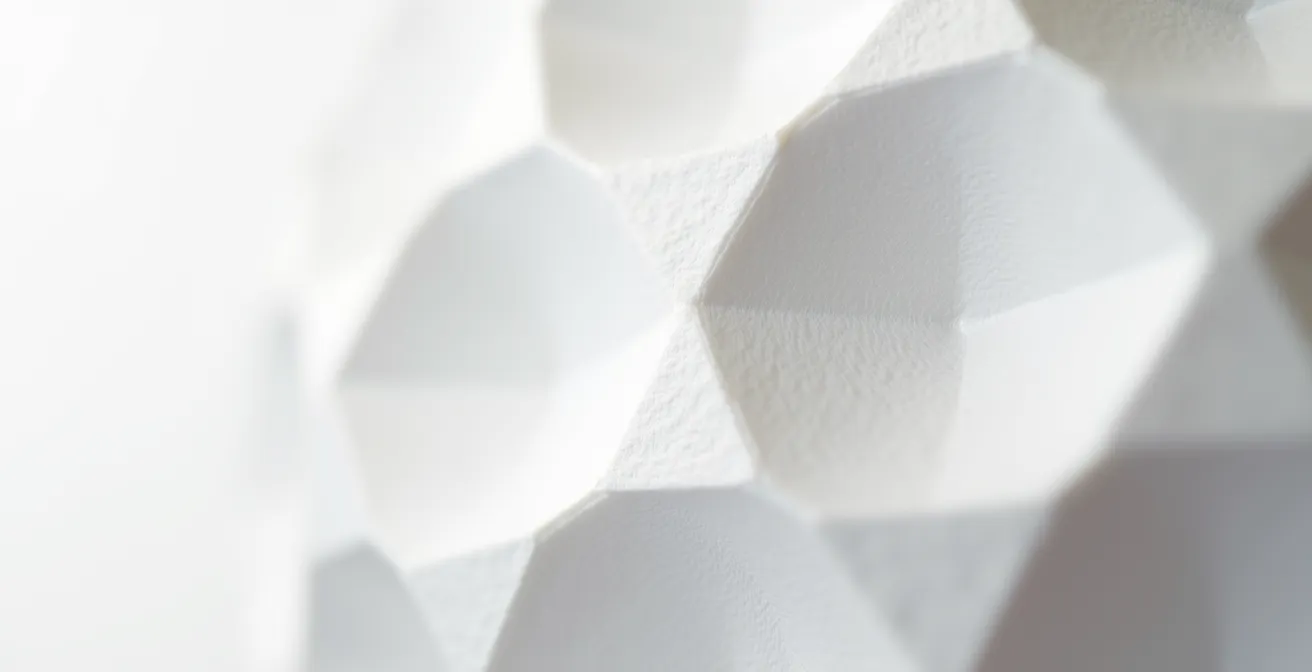
Low-Poly Art’s Transition from Digital to Physical
A project focused on creating low-poly art for 3D printing revealed this challenge directly. While the low-polygon geometry created in digital tools made for compelling graphical renderings, the models often required significant cleanup to be 3D printed. The process necessitated exporting watertight meshes in STL format, highlighting the critical step of transforming a visual asset into a physically sound object. It’s a reminder that the rules of the digital world don’t always apply in the physical one.
How to Shape a Character so it’s Recognizable Even with Blocky Polygons?
When detail is stripped away, other artistic elements must carry the weight. In low-poly character design, the single most important element is the silhouette. A character’s outline, viewed as a solid shape against a contrasting background, should be instantly recognizable and communicate their personality, role, and even mood. Before a viewer notices color, texture, or facial features, they read the silhouette.
Creating a strong silhouette is an act of deliberate abstraction. The artist must identify the most iconic features of a character—the pointy ears of an elf, the broad shoulders of a warrior, the hunched back of a creature—and ensure these are clearly defined in the model’s outline. This means allocating polygons strategically. Instead of distributing them evenly, a designer will spend polygons to define the curve of a horn or the sharp angle of a shoulder pad, even if other, flatter areas of the model are extremely simple. The goal is to create a unique and memorable shape that works from multiple angles.
Silhouette matters most. It communicates lots of info about your character. It’s something players will notice first. Use enough polygons to get that right. No matter what your budget is, silhouette is a priority.
– Polycount Community, How much low poly is good Enough?
After silhouette, major forms and proportions take priority. Exaggerating features can help with readability. A small head on a large body, or long arms on a short torso, can create a distinct character that doesn’t rely on surface detail. While there is no strict rule, many artists suggest the 1-10K polygons is the comprehensive range for a model to be considered “low-poly,” but within that range, a model with a weak silhouette will always fail, regardless of its polygon count.
Why You Must Avoid ‘Doubles’ to Keep Your Pixel Art Looking Clean?
In the world of 2D pixel art, a “double” refers to an unintentionally thick line created by placing pixels in an awkward L-shape, breaking the flow of a single-pixel-width curve or line. It’s considered a hallmark of amateur work because it creates visual noise and makes lines look jagged and uncontrolled. Avoiding doubles is a fundamental discipline in creating clean, professional pixel art. This principle finds a direct parallel in 3D low-poly modeling: the concept of clean topology.
Just as a pixel artist obsesses over the placement of each individual pixel, a low-poly modeler must be meticulous about the placement of each vertex and the flow of each edge. A “double” in 3D might be an unnecessary edge loop that doesn’t contribute to the silhouette, or two vertices welded to the same spot, creating hidden geometry that can cause errors in texturing or animation. The goal in both disciplines is economy and intent. Every element—every pixel, every polygon—should have a purpose.
This shared philosophy is no accident. Both styles emerged from the constraints of early hardware and have since been embraced for their unique aesthetic qualities. They are sister styles, one in 2D and the other in 3D.
Low-Poly as a Sister Aesthetic to Pixel Art
Since they often achieve a retro style, low-poly models serve as a 3-dimensional analog to 2-dimensional pixel art. As noted in discussions on the topic, both styles emerged from hardware limitations and now represent deliberate aesthetic choices. They celebrate their fundamental building blocks—the pixel versus the polygon. Both require the artist to think in terms of their most basic components and to build complexity from a foundation of disciplined simplicity. They are self-aware styles that are, as some put it, “intentionally vague,” allowing the viewer’s imagination to fill in the gaps.
Why Jagged Lines Trigger Anxiety While Curves Create Calm in Composition?
In visual design, there is a well-established psychological association with shapes. Soft curves are often perceived as safe, natural, and calming, while sharp, jagged lines can evoke feelings of danger, energy, or anxiety. This is rooted in our primal response to the natural world, where smooth, rolling hills are safe and sharp, pointy objects (like teeth, thorns, or broken glass) are potential threats. Low-poly art, by its very nature, is an exploration of the jagged line and the hard edge.
Instead of shying away from this, the low-poly aesthetic embraces it. It re-contextualizes the sharp edge not as a threat, but as a deliberate and clean compositional element. The style finds beauty in the facet, the plane, and the crisp line where two surfaces meet. It’s a rejection of the organic in favor of the geometric, a reinterpretation of the world through a crystalline lens. The growth in popularity of this style, where Steam saw rapid growth with 244 titles published between 2014-2018 under the “low-poly” tag, shows a wide audience appeal for this aesthetic.
I just like hard edges. I’ve never been big on realistic 3D renderings. While I can certainly appreciate the skills involved, I just try to be more whimsical with my work. Almost trying to reinterpret natural, organic shapes into sharp, linear edges.
– Timothy J. Reynolds, Interview with Lesterbanks
This quote perfectly captures the mindset. The choice is not about an inability to create curves; it’s a preference for the visual language of angles. Low-poly art proves that “jagged” doesn’t have to mean “anxiety.” In a controlled, composed environment, it can mean “clean,” “precise,” and “modern.” It takes the potential chaos of a sharp edge and organizes it into a harmonious, structured whole.
Key Takeaways
- Low-poly is an aesthetic of subtraction, not limitation; it’s about amplifying form by removing non-essential detail.
- Silhouette and major forms are more critical to recognizability than high polygon counts or detailed textures.
- Techniques like normal baking and strategic lighting are used to create the illusion of detail on simple, performant models.
Virtual Sculpting: How to Mold Digital Clay Without Getting Your Hands Dirty?
At its heart, creating in 3D is a form of sculpture. For many artists, the initial appeal is the pure joy of creation. As artist Timothy J. Reynolds puts it, “Building and moving stuff around in 3D space was like a dream come true.” Whether using high-poly digital clay or manipulating individual low-poly vertices, the process is about giving form to an idea in a three-dimensional space. Virtual sculpting software allows artists to push, pull, smooth, and carve a digital mass as if it were real clay, but with the advantages of an “undo” button and perfect symmetry.
The low-poly aesthetic can be seen as the final step of this sculptural process: chiseling the form down to its absolute essence. It’s taking the rough, organic shape created during sculpting and reinterpreting it with clean, deliberate planes. It requires a high degree of creativity and a deep understanding of form, as the artist must make every polygon serve the overall composition.
From Virtual Sculpting to Low-Poly Aesthetic
Art director Daniel Gutiérrez explains that despite its minimalist appearance, low-poly modeling requires significant creativity. Artists must make the most of limited resources to create complex compositions. This proves that the aim of this aesthetic is not laziness or a shortcut, but a deliberate choice to favor abstraction using geometric shapes over detailed, literal design. It is the final, polished state of a sculptural idea.
Ultimately, low-poly is not about what’s missing. It’s about what remains. It’s a style that proves that elegance and character can be found in simplicity. By embracing the polygon instead of hiding it, designers and artists have turned a technical artifact into a powerful and expressive tool for artistic communication.
Stop seeing polygons as a budget. Start using them as a tool. The next step is to take your most complex design and ask: what can I remove to make it stronger?